My Grok Bots Needed a Mac. So I Gave Them One.
Over the last few days, I’ve been having a lot of fun playing around with Grok Bots. They’re available on the Cursor Ultra / Grok SuperHeavy plan, and the premise is straightforward: you get access to a chat-like app where you can create agents. They have their own sandboxes and virtual machines. You can talk to them like you would a “real coworker,” and they can spin up Cursor Cloud Agents on your behalf and integrate with your tools through the Cursor Plugins ecosystem. Bots can also message one another to delegate tasks and coordinate effort.
The execution by the @bot team is exceptional. It’s been incredibly easy to set up these agents with scoped permissions and have them perform real work for me. A few examples:
- Once a week, I get a new set of Google Calendar events sent to my personal cal, describing my workouts for the next few days. Based on how difficult the workouts feel, my “trainer” can adjust the plan to keep me on track for my goals.
- I get a lot of recruiter messages, so I have one of my guys read my email and LinkedIn inboxes each day and politely decline opportunities that aren’t a fit. (Sorry, recruiters: if you’re allowed to use AI to automate your outbound, then so am I!)
- I’ve shipped meaningful code changes (on side projects and other work) and end-to-end tested them with a team of agents working together. They send me screenshots and use logs from staging environments to diagnose bugs and ship fixes.
This feels, to me, like the future of work. This is the promise that companies like Cognition, the company behind Devin, first proposed in 2024: remote employees in the cloud that can do useful things for you. Eventually, I’d love to add other people to my Cursor Team and create group chats with humans and agents alike, sharing one session. That feels like the obvious next step for coordinating multiplayer AI workstreams. Regardless of what’s to come, I’m really excited to keep using this as my primary interface for AI work.
But one limitation stands out: the agents’ virtual machines run Linux. They’re not Macs. The SpaceXAI team’s agents have remarkably capable computer use on their own boxes, but I’d still need them to access a Mac if I wanted my Grok Bots to swarm on native iOS apps, send and receive texts through iMessage, or operate real desktop and Electron apps. I could simply run the Grok Bot app on my MacBook Air, but that defeats the point of giving these guys cloud environments where work can be orchestrated and executed independently.
I had a wild idea: what if I used a Mac mini as a dedicated macOS runtime? Instead of running an agent on my mini as a process (like Hermes or OpenClaw), Cursor’s CLI offered a clearer arrangement. I could expose my Mac as a worker that my bots could run cloud agents on. These cloud agents can then execute shell commands, including kicking off Codex rollouts with Computer Use enabled. They could keep their existing workspaces and context, but reach for the Mac whenever a task required something like an Apple ID or software native to macOS, like Xcode.
The architecture is basically:
Grok Bot → Cursor worker → Mac mini → Codex CLI → Computer Use → macOS apps
macOS has been my favorite place to do work for the last ~6 years. It was time to give my bots a Mac of their own.
The trial
The setup wasn’t actually that difficult. After getting my hands on a Mac mini, I installed Cursor’s agent CLI and authenticated with my Cursor account:
curl https://cursor.com/install -fsS | bashThen I started a new worker:
agent worker start --name davis-miniOnce the worker was confirmed to be up and running, I could ask my bots to run commands on the Mac:
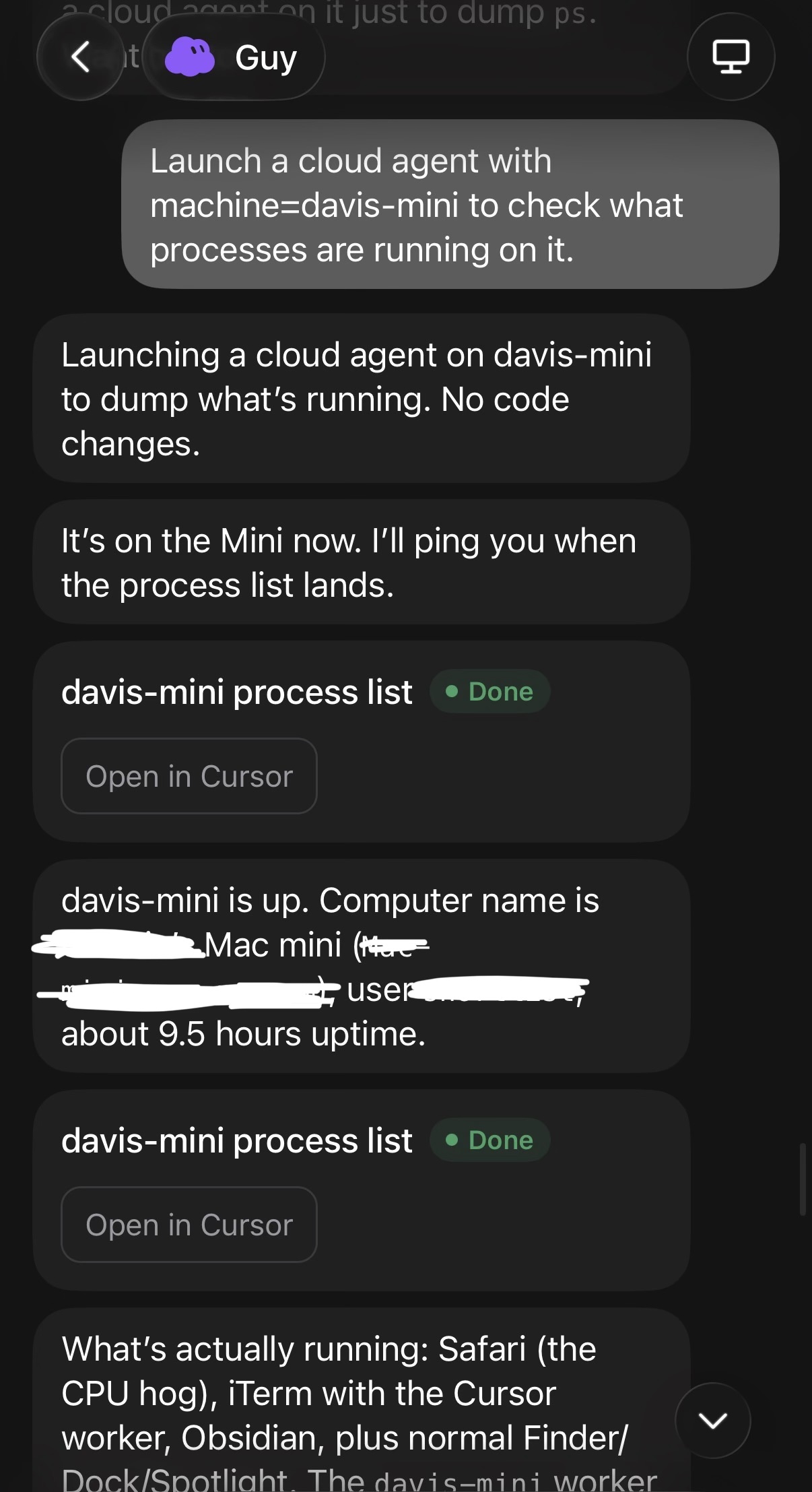
Pretty cool! We can see all the running processes on our Mac, which also means we have shell access here. On my Mac, I also installed the ChatGPT app and Codex CLI to install the Computer Use plugin. Theoretically, what this now means is that Grok Bot can spin up a Codex instance on-prem with a detailed computer-use prompt. The Codex rollout can do the heavy lifting and use the GUI for whatever it needs to do. The agent worker can verify that the task was completed and hand off deliverables if necessary.
To put the setup to the test, I asked my Grok Bot to install and launch Blender, create a tree, render the 3D object, and send the result to me over iMessage. They got to work.
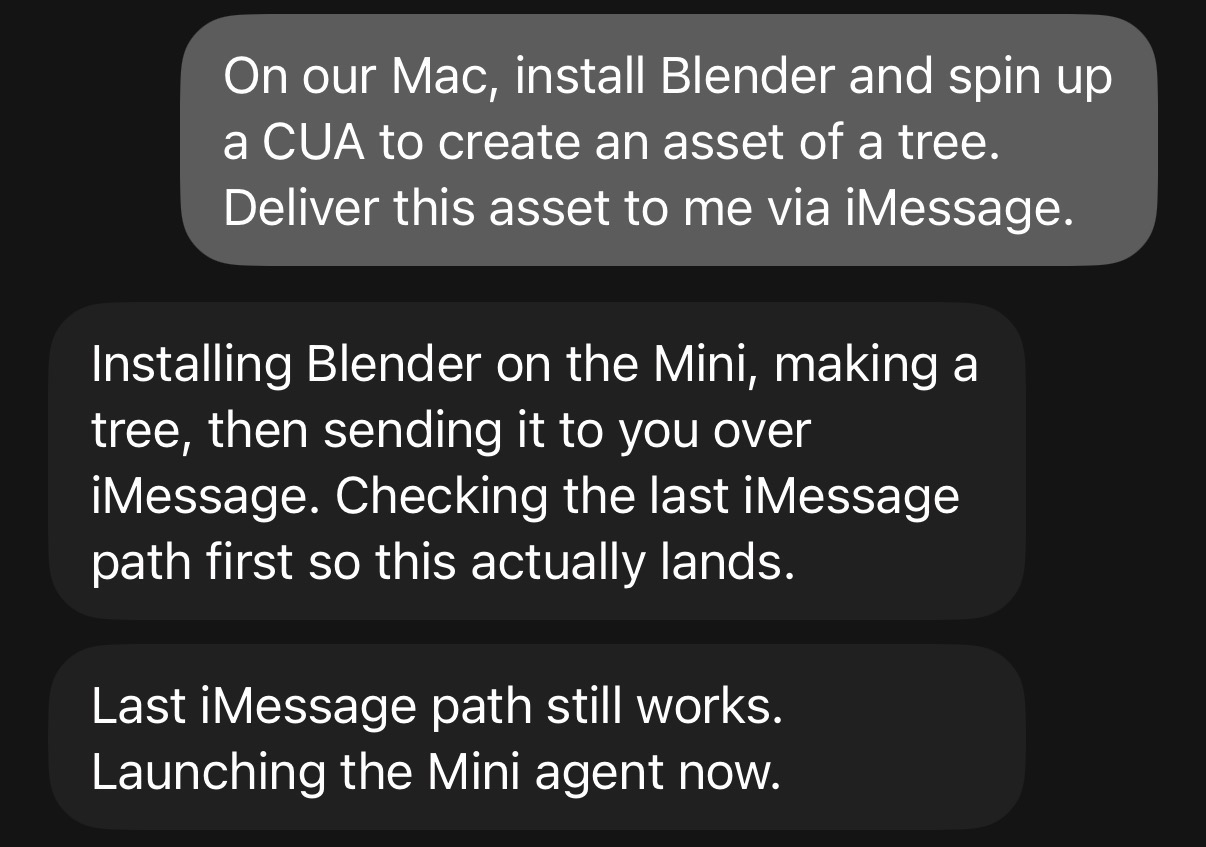
I was watching the whole thing from my desk. Using computer control, Codex navigated Blender scarily well. It opened Blender’s scripting workspace and began writing the code to generate the tree mesh:
I got up for a moment because I assumed this would take a while. When I next checked my phone, to my delight, I had an unread message from my agent.
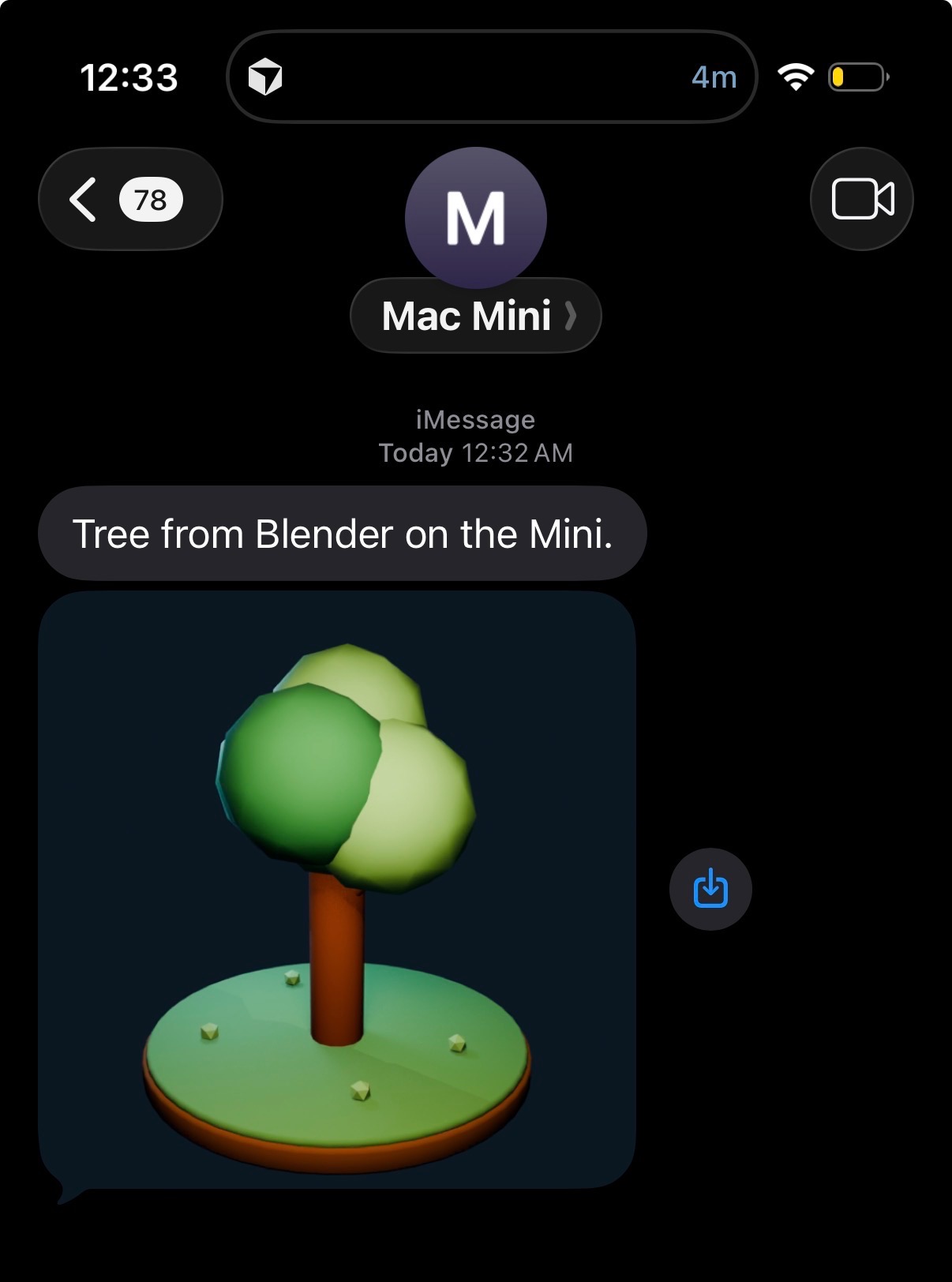
Voilà!
The rose, and its thorns
At the end of the day, the experiment was a success. A 3D tree landed in our iMessage inbox. This also fits in cleanly with the model that Cursor and Claude workstreams have adopted, where subagents are the carriers of work and a principal agent (Grok Bot) is the orchestrator. While the Codex iOS app could have handled a similar process through its remote control feature, I would have to manually move context back into the Grok Bot chat. I might eventually be won over by the Codex-native approach, but I’m not there yet.
There are also some security considerations here that I forgot to mention. My Mac mini is not connected to my personal Apple ID or other accounts, except for a scoped GitHub personal access token and the authentication needed to install Cursor + Codex. This is putting a lot of faith into both the Cursor and Codex harnesses, because a prompt-injection attack could get pretty scary. I want to spend more time tweaking this setup so that my Mac finds a good balance between utility and security.
Also, this isn’t the most affordable setup. For one thing, Cursor still counts davis-mini sessions as Cloud Agent usage. Cursor Cloud Agents are great, but they’re costly, even while Grok 4.6 has its temporary 50% discount. And on top of that, I still need to pay for both Cursor Ultra and ChatGPT Plus, which is about $220 per month before any usage-based charges. That being said, it feels relatively inexpensive to me when I compare it against the value that I’ve gotten from using these tools.
A year ago, I was hesitant to give coding agents any sort of unsupervised access to my computer. I was writing more code by hand last August and manually approving terminal commands and file changes. Today, I gave agents complete control over a Mac mini. It’s expensive, slightly terrifying, and far more useful than I expected. The biggest epiphany that I’ve had from the ~week or so that I’ve played with this setup is that, honestly, I have no idea if I’ll be the one that’s using a computer in the next 12 months. Maybe, when I learn to let go of the reins even more, the chat interface will be all I need.